Digital Banking at Exchange Bank: Full-Feature Online and Mobile Access
Digital banking at Exchange Bank covers the full deposit-account feature set — real-time balances, internal and external transfers, free bill payment, mobile cheque deposit, paperless statements, card lock/unlock, scheduled payments and multi-factor authentication — delivered across a responsive web portal and native iOS/Android apps. Enrollment is free for all checking, savings, money market and certificate-of-deposit customers.
This Exchange Bank service brief documents feature parity between web and mobile, browser support, session management, transfer limits and MFA policy for community-banking customers across Sonoma, Marin and Napa counties. Deposit accounts remain FDIC-insured through the FDIC.
Enroll in Digital Banking See the Mobile App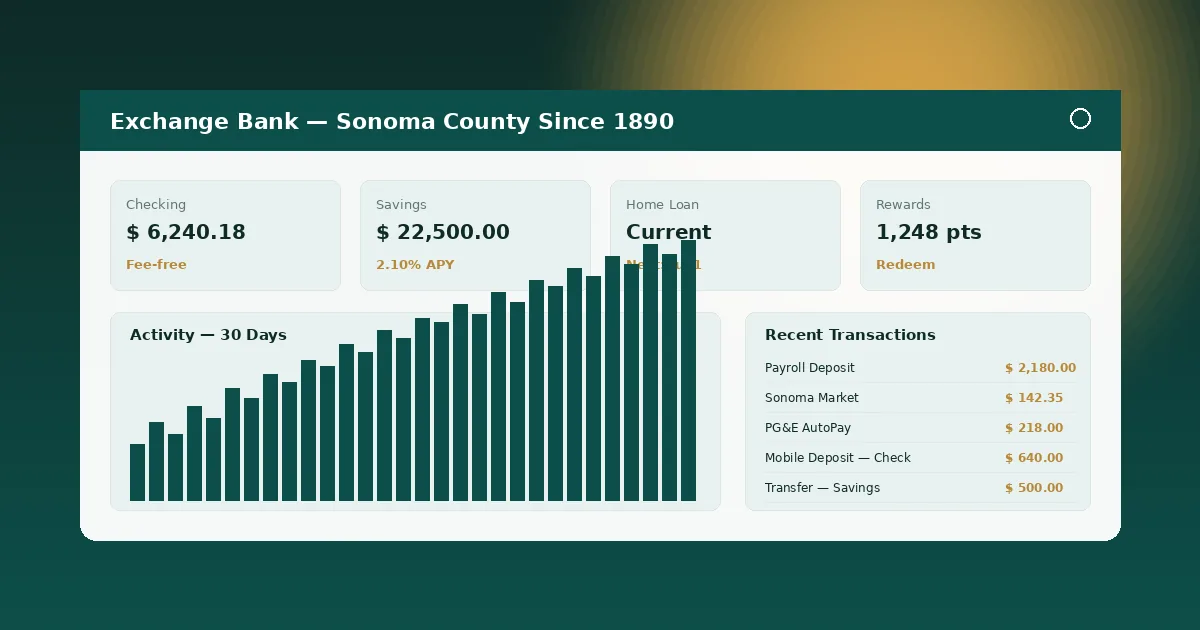
Service Brief: What Digital Banking Delivers
Exchange Bank digital banking consolidates deposit servicing, payments and document retrieval into one sign-in.
The core feature set covers balances (real-time on checking and savings, end-of-day on certificates), internal transfers (instant between Exchange Bank accounts), external ACH transfers (next-business-day), bill payment to roughly 8,000 pre-loaded billers, scheduled and recurring payments, mobile cheque deposit (via camera in the native mobile app or via document upload on the web portal for business deposits), paperless statements with seven-year retention, smart alerts across SMS and email, card lock/unlock for debit cards, travel notifications, and joint-account delegation for couples and family units.
Digital banking at Exchange Bank also handles 1099-INT, 1099-R and 1098 mortgage-interest tax document delivery, stop-payment requests on paper cheques, overdraft-protection linking, fee-dispute intake and disputes queue tracking under Regulation E. Commercial clients access expanded treasury workflows through the companion Exchange Business Banking product.
Platform Profile: Web vs Mobile Feature Matrix
| Feature | Web | Mobile | Enrollment Required |
|---|---|---|---|
| Real-time balances and transaction history | Yes | Yes | Digital banking login |
| Internal transfers between Exchange Bank accounts | Yes (instant) | Yes (instant) | No additional step |
| External ACH transfer to other US bank | Yes | Yes | Trial-deposit verification |
| Mobile cheque deposit via camera | No (upload-only for commercial) | Yes | Mobile app install |
| Bill payment to 8,000+ pre-loaded billers | Yes | Yes | One-time payee setup |
| Card lock/unlock and travel notifications | Yes | Yes | No additional step |
Digital Channel Brief: Browser Support and Session Management
Exchange Bank digital banking supports the two most recent major versions of Chrome, Edge, Firefox and Safari on both desktop and mobile browsers. TLS 1.3 is required; connections fall back to TLS 1.2 only when strictly necessary. Internet Explorer 11 and Safari below 15 are unsupported for security reasons — the portal will display a graceful upgrade prompt rather than render an insecure experience.
Sessions time out after 15 minutes of inactivity, regardless of channel. Concurrent sessions per customer are limited to three simultaneous logins across web and mobile; a fourth login displaces the oldest session with an on-screen and email notification. A new browser fingerprint or device triggers a step-up MFA challenge. Sign-out occurs automatically when a sensitive action (password change, wire initiation, external payee addition) is cancelled or abandoned mid-flow.
Customer digital banking credentials at Exchange Bank are stored using industry-standard argon2id password hashing. No password is ever transmitted or stored in cleartext on the Exchange side. Staff in Santa Rosa branches cannot view customer passwords — only reset tokens. Password policy requires 12+ characters with mixed complexity, with a 90-day rotation reminder rather than a hard enforcement (per modern CFPB and NIST 800-63B guidance).
Feature Brief: MFA, Limits and Joint Accounts
Multi-factor authentication is mandatory at Exchange Bank. Customers choose SMS one-time passcode, authenticator-app TOTP (Google Authenticator, Authy, 1Password, Microsoft Authenticator), or hardware token issued in-branch. MFA is required for sign-in from a new device, for password changes, for adding external payees, for initiating wires, and for any profile update (email, phone, address).
Standard daily transfer limits for digital banking: $25,000 internal, $5,000 external ACH, $50,000 wire (commercial online only). Limits raise after 60 days of account seasoning on request, with per-client thresholds underwritten by the treasury team. Scheduled transfers and recurring payments carry the same per-transaction ceiling. Bill payment has no per-transaction cap within daily limit.
Joint-account delegation at Exchange Bank allows both primary and secondary account holders to enroll in digital banking independently. Each holder has a unique User ID and password. Transactions are logged by holder. Either holder can authorize transfers within limit without dual-control. Commercial dual-control for wires is available under treasury services.
Experience Profile: Who Uses Digital Banking Daily
Across Exchange Bank customers, roughly 78% of monthly active households access their accounts through digital banking, with mobile-app weighting at 62% of active session minutes. The top three daily use cases: checking balance on the way into work, paying a bill in under two minutes, and depositing a cheque from a rental tenant or harvest customer via mobile camera capture without a branch visit.
Small-business use is distinct: operators tend to log in two to five times per business day, primarily to verify ACH credits from wholesale customers, to initiate payroll batches, to approve wire transfers, and to reconcile merchant-processing settlements. Exchange Bank provides commercial clients with delegated user access, allowing an owner to grant a bookkeeper view-only or limited-transaction rights without sharing primary credentials.
Digital banking at Exchange Bank integrates with QuickBooks Online, Xero, Mint and most major personal-finance-management tools through read-only aggregator feeds. Downloads are available in CSV, QFX, OFX and IIF formats for bookkeeping reconciliation.